
Casual to office
Move between a casual top, a trench coat and a suit. Keep the background fixed so each silhouette is easy to see.
OVERHEAD SHOT / FAN BLADE WIPE
A passing blade. A new outfit.
Keep one person in a fixed overhead shot. A foreground fan blade covers the frame, then reveals the next outfit. Start with a person photo and try three looks with two transitions.
Create a fan outfit video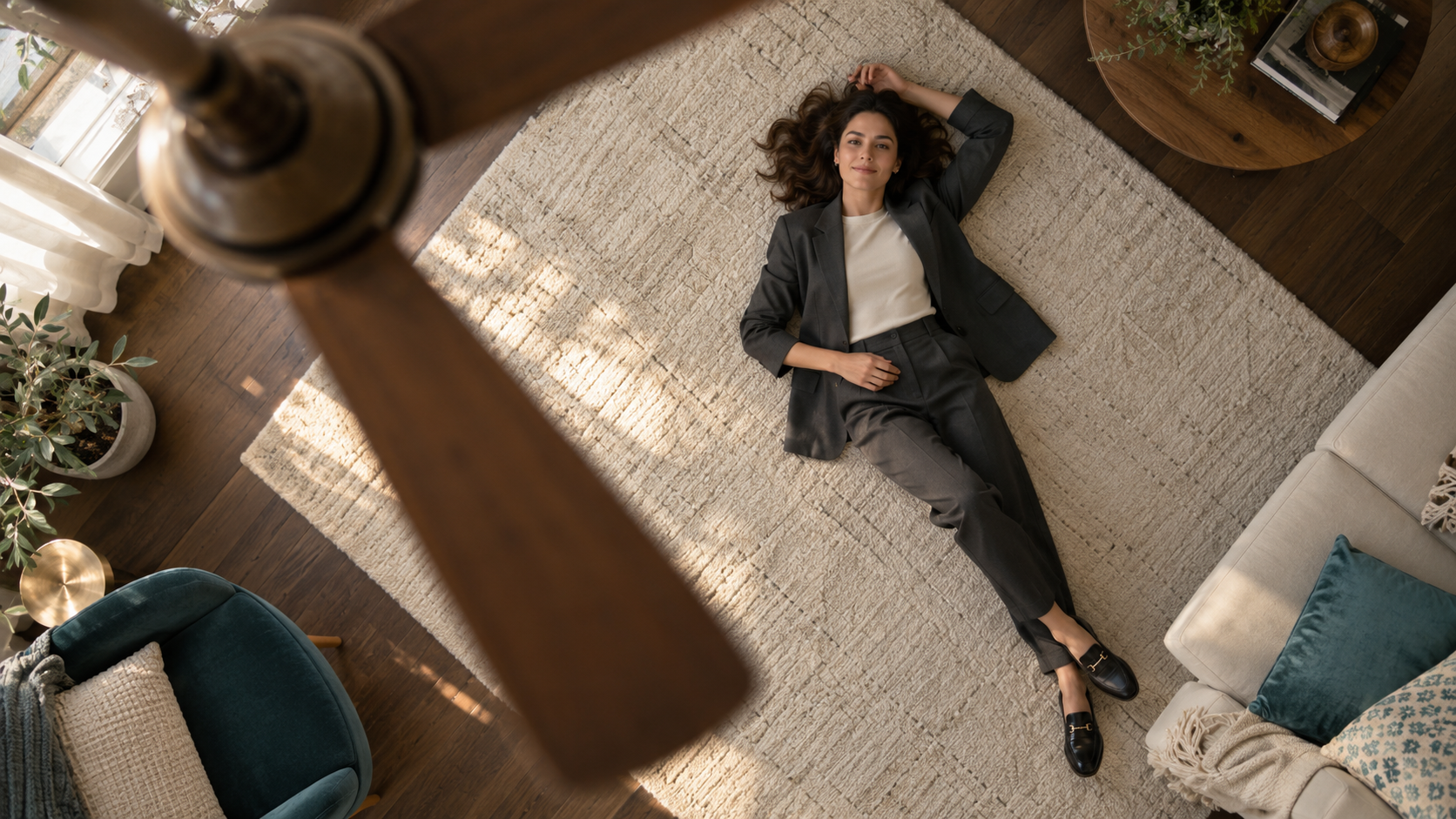
Original concept image · Not a generated video result
This cover illustrates the overhead framing and fan placement. This template has not been tested with a video model yet. Check the fan wipes, identity consistency and outfit changes after generation.
Use a photo with a clear face, pose and clothing. A full-body or overhead photo makes it easier to assess body proportions and framing.
Replace the three outfit descriptions in the preset. Change clothes only while the fan blade fully covers the frame, keeping the person, room and camera fixed.
Review your model, ratio, duration and credits before generating. Check the face, hands, feet and whether each outfit changes behind a passing blade.
Upload a clear person photo and edit the outfit descriptions below. Defaults: Seedance 2.5, 10 seconds, 720p, 9:16. Change the settings before generating; credits follow your selection.
Your next shot starts here
Choose the camera engine
Resolution
Duration
Frame
Person photo (required)
Generate audio
Scene sound and ambience
Upload a person photo before generating.
This generation needs 1740 site credits
Move between a casual top, a trench coat and a suit. Keep the background fixed so each silhouette is easy to see.
Keep the main clothing color similar and vary cuts and shoes, reducing the number of details changing at once.
First test three outfits and two wipes. Increase the duration for more looks instead of forcing rapid changes into a short clip.
It is a fixed overhead outfit transition: a ceiling-fan blade passes in front of the camera and hides the person, then reveals the same person wearing a new outfit.
An ordinary portrait can act as an identity reference, but the model must construct the overhead pose and room. A clear full-body photo or one closer to the target framing makes the result easier to assess.
This template has not been tested with a video model yet, so precise outfit changes on every wipe are not guaranteed. Review the face, hands, feet, fan geometry and transition timing after generation.
Defaults are Seedance 2.5, 10 seconds, 720p and 9:16. You can select other available settings or models. Credits follow the live amount in the generator; this template has no separate fixed price.
Yes, edit the prefilled prompt directly. Start by changing only the outfits and keeping the room and camera fixed. Changing clothes, rooms and actions together increases the chance of visual discontinuity.